Medido: a second opinion on what a business pays for marketing
Medido reads a business’s website from the outside, in a real browser, and shows whoever pays for the marketing what can be verified, what can’t and how to check each thing. I designed the product, the brand and the website, in English, Hebrew and Spanish, and defined how it is measured: GA4 and Clarity with custom journey events, which only load if the person accepts.
The product
It speaks to the owner of a business who works with an agency and is about to renew. They paste their website address and get a reading: what can be seen from the outside, what can be verified, what can’t and what to check it with. The first reading is free, with no signup.
Every finding says what was seen, when and what to check it with, instead of a score out of 100 that can’t be argued with.

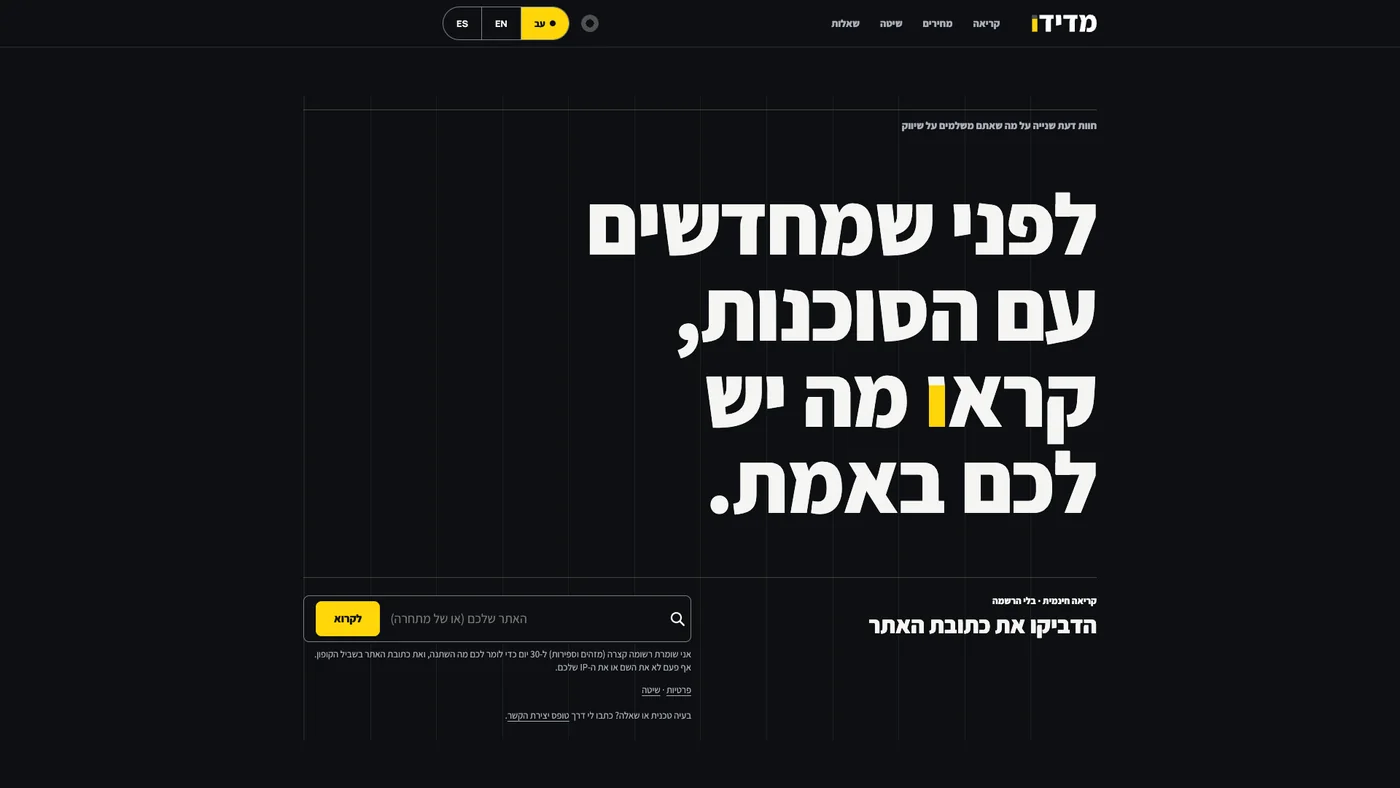
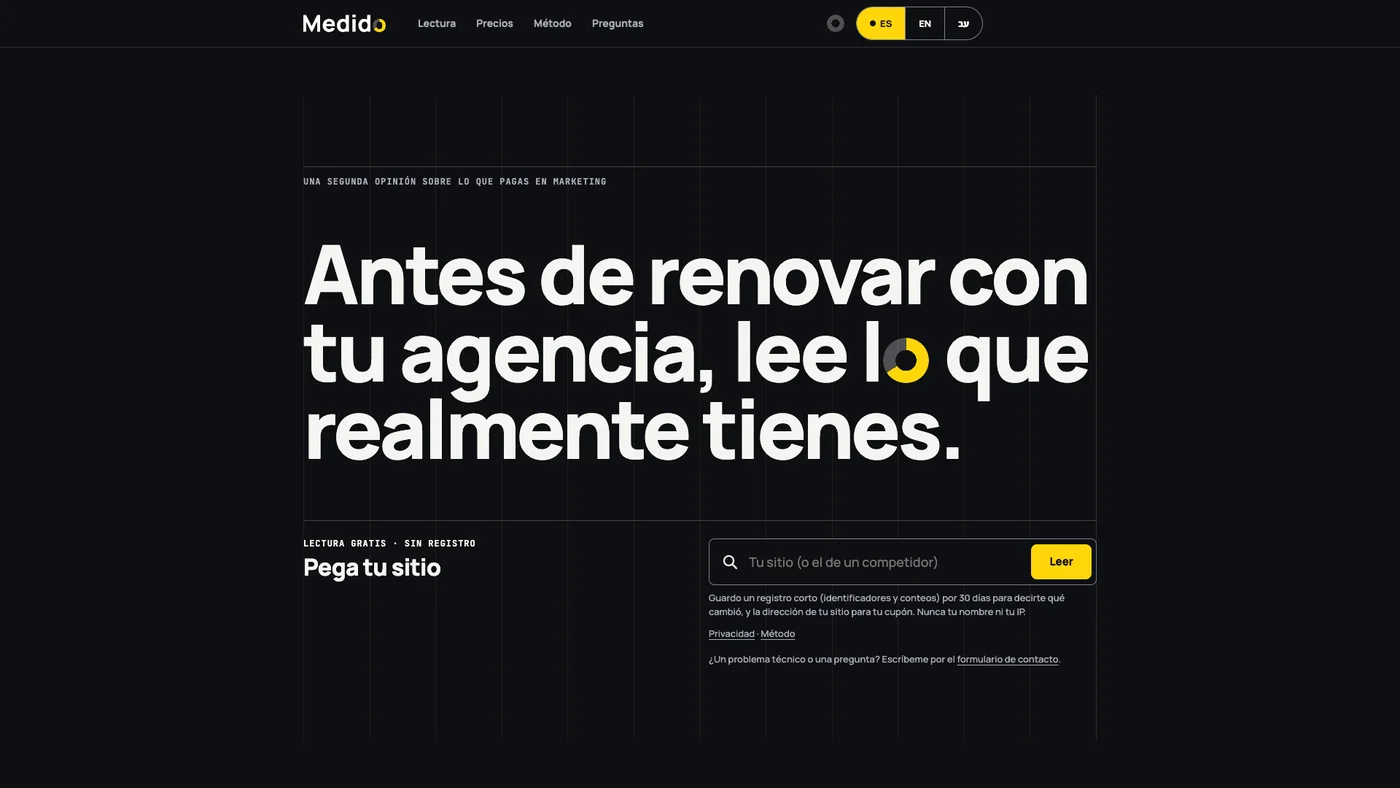
Swipe sideways or use the arrows. Tap a screenshot to enlarge it.
The typography: an o that fills up
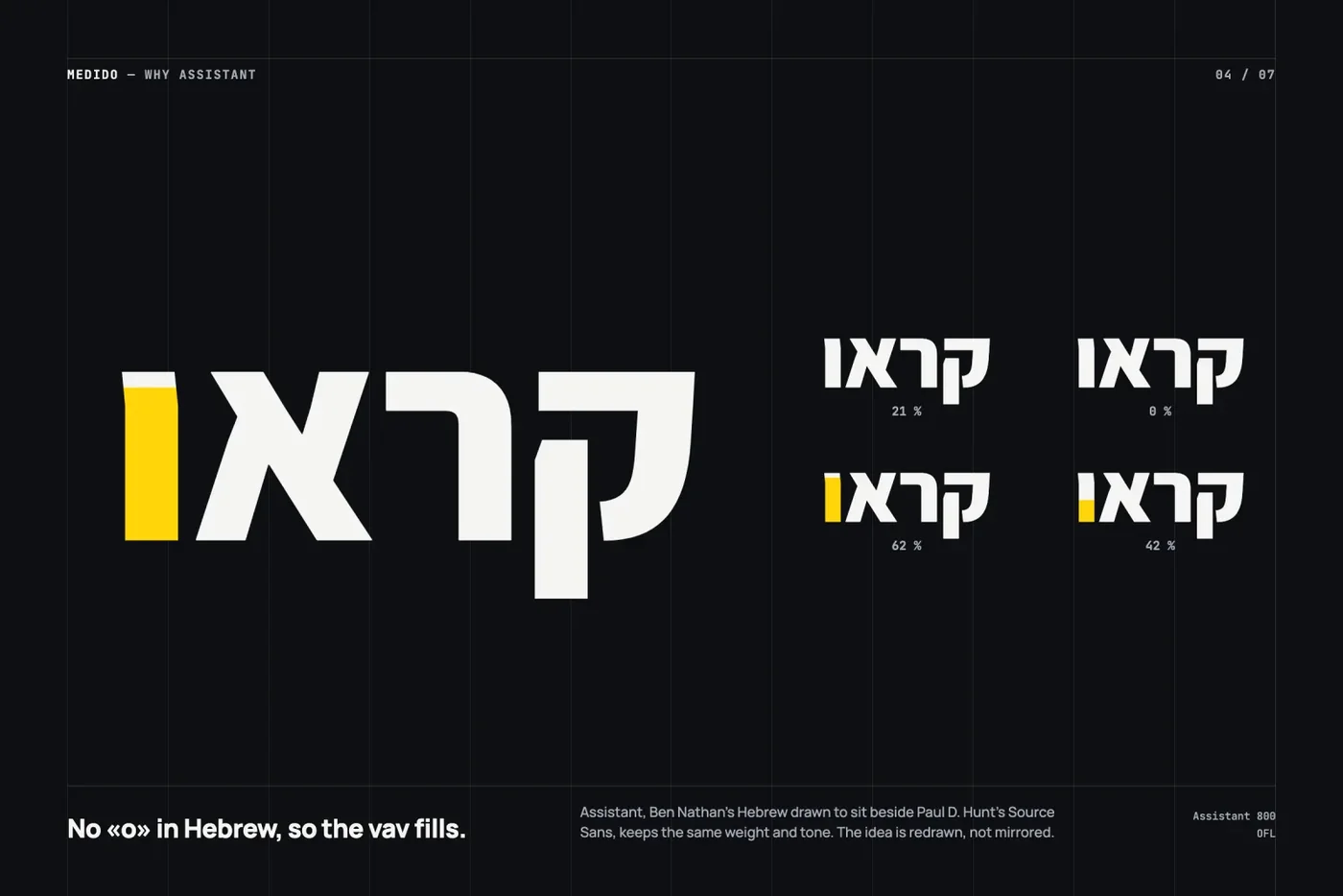
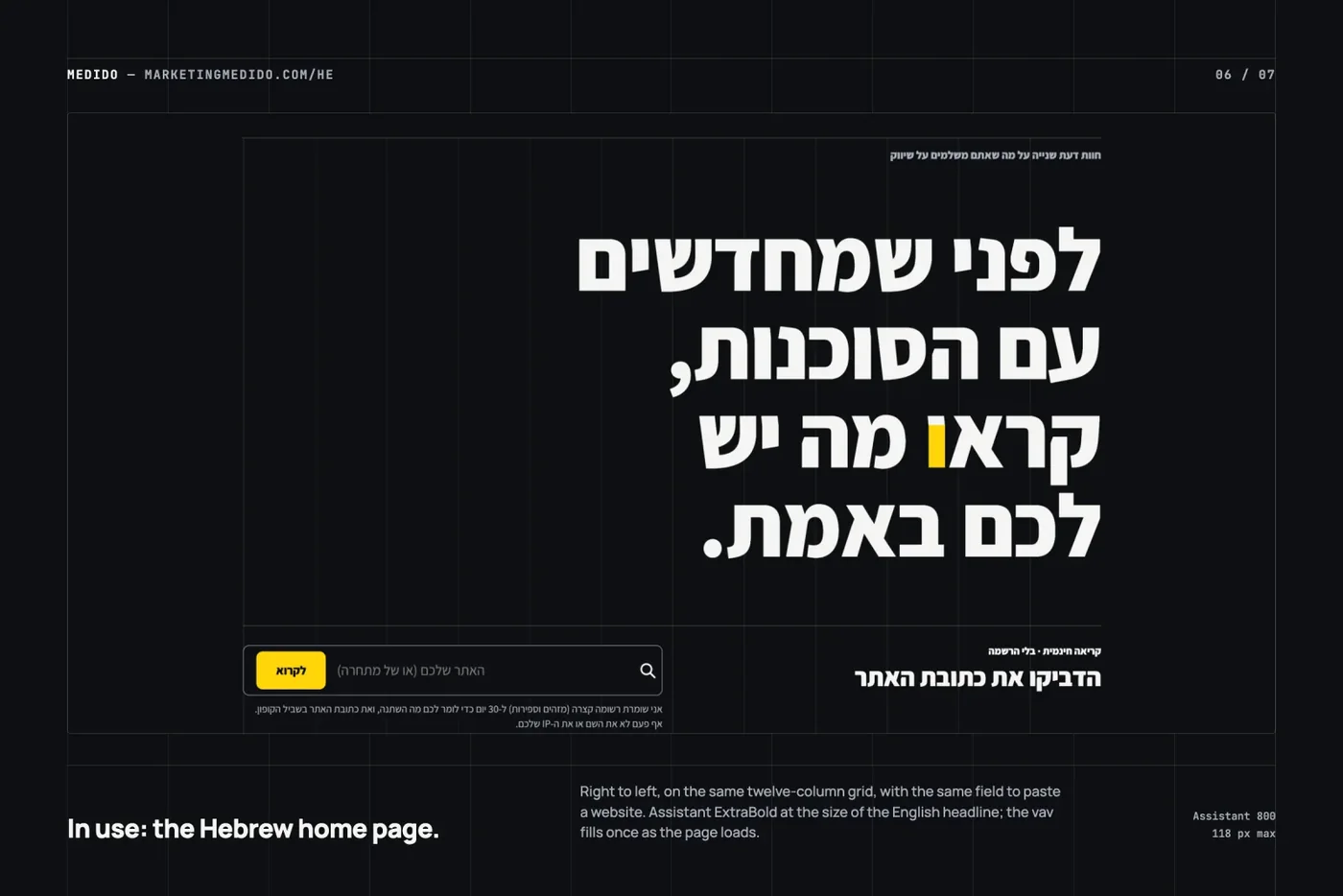
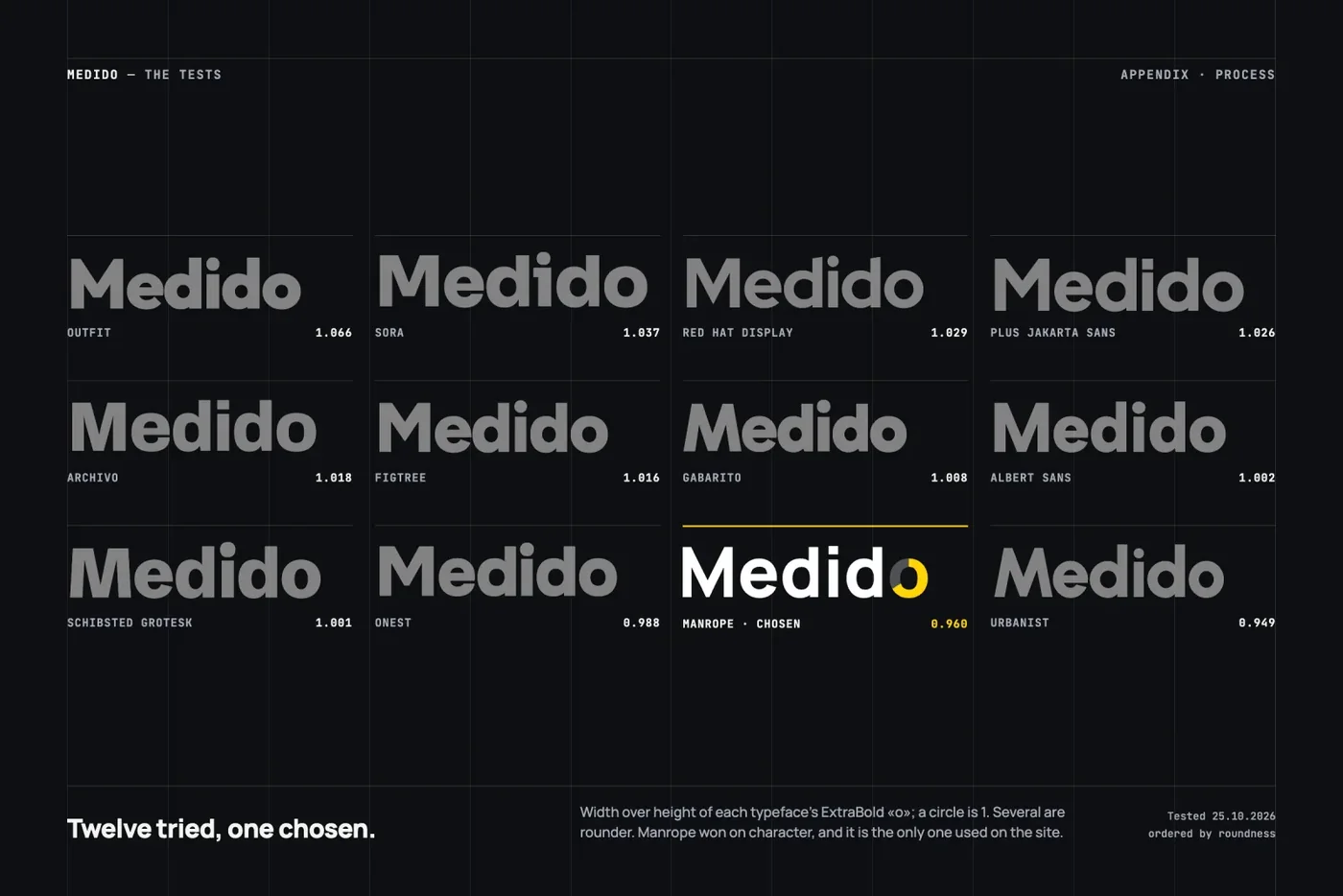
The name says what it does. The last o is a ring filled to 66%: a measurement that shows what is there and what is missing. Its counter is identical to the d’s. In Hebrew, in מדידו, the final vav fills from the bottom up to the top of the dalet; in the home page headline, the vav of קראו makes the same gesture.
The word that carries the ring never breaks across two lines, and the screen reader gets the real letter, not the drawing. Manrope 800 for the brand and headlines, Assistant 800 for Hebrew and JetBrains Mono for data, all served from the site itself.
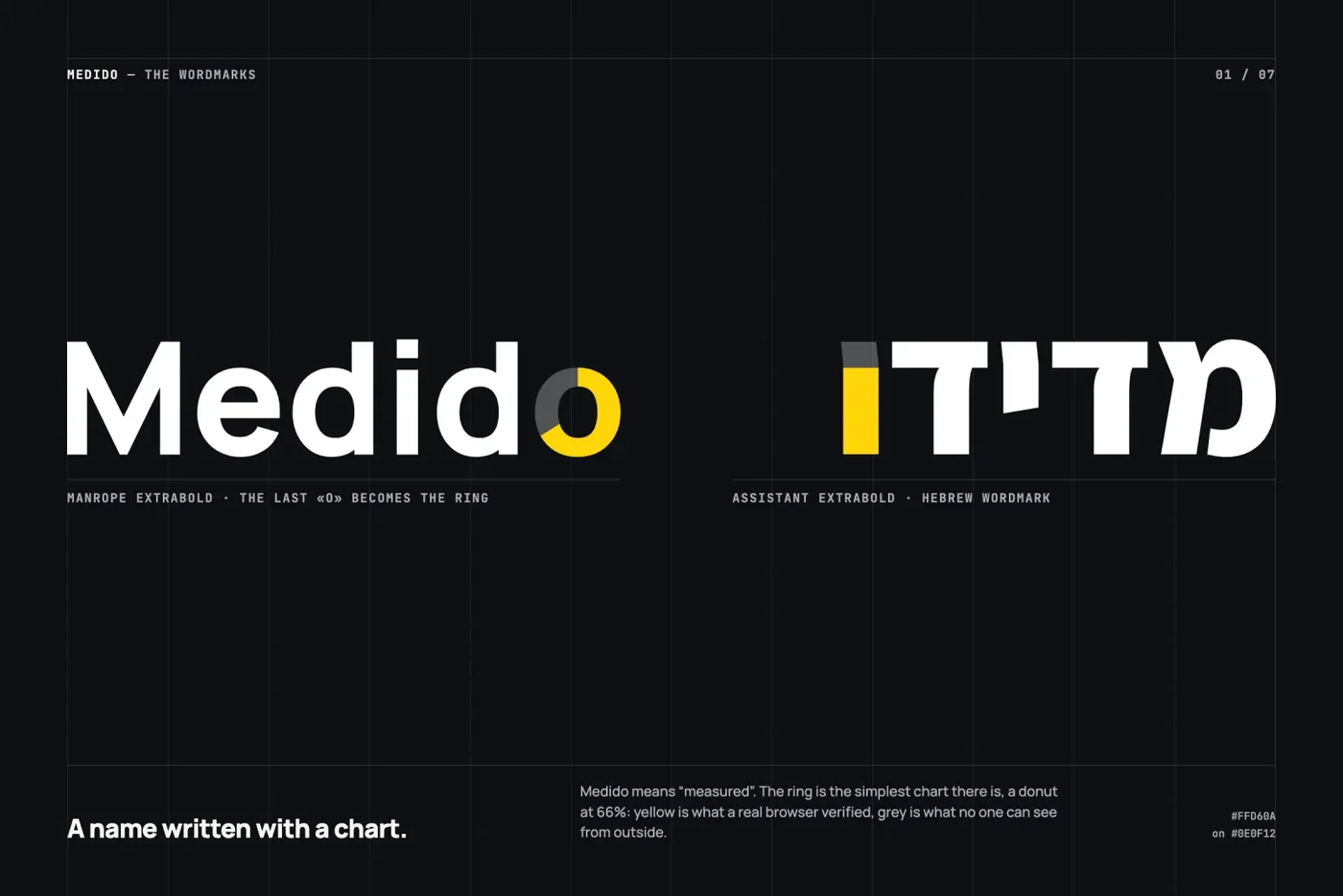
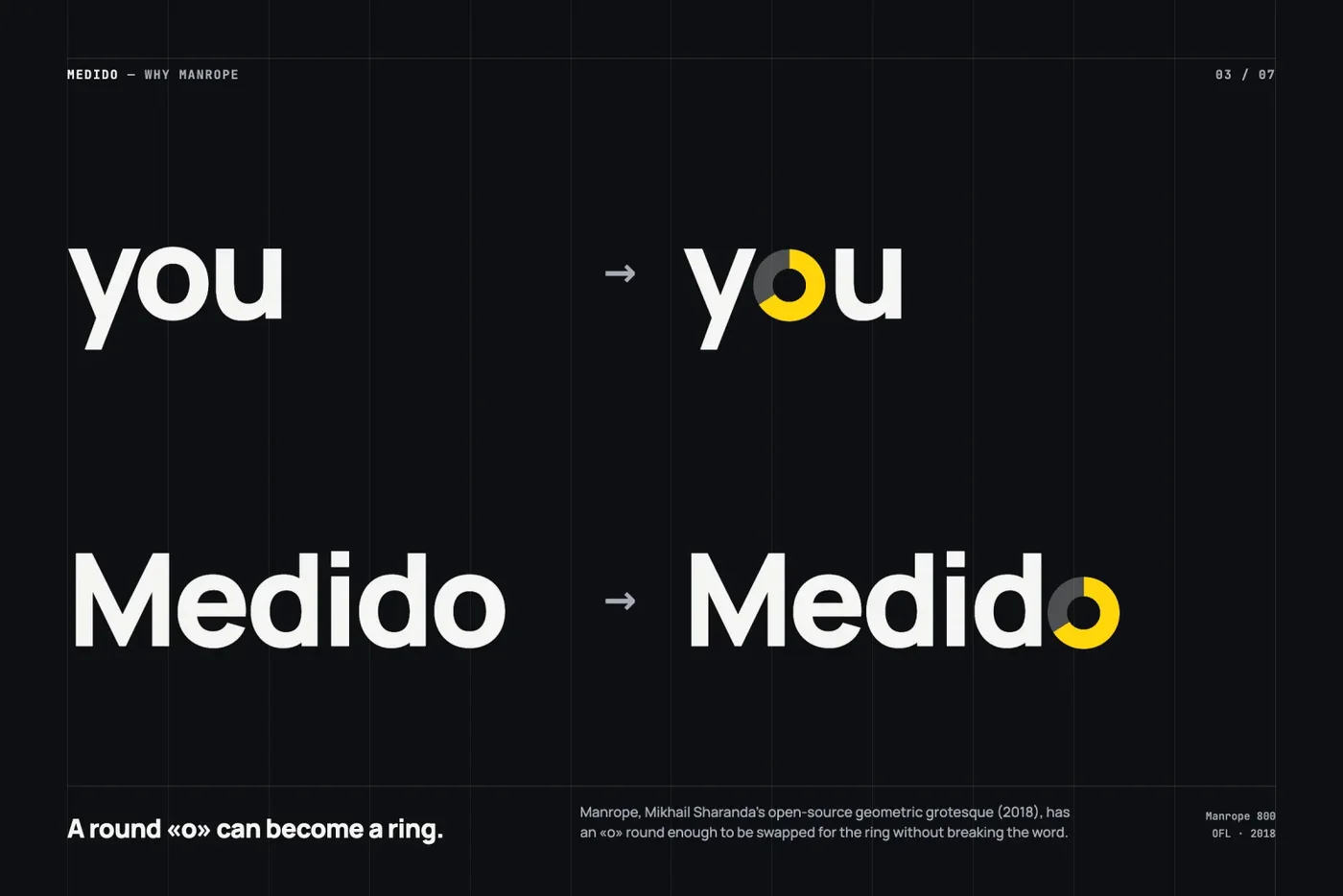

Swipe sideways or use the arrows. Tap a screenshot to enlarge it.
Motion: what moves is what the person does
One rule for the whole site: nothing animates as you scroll. What moves is what responds to the person, and everything stays still if they asked for reduced motion.
- When the home page loads, the o in the headline fills from 0 to 66% in 1.1 seconds, just once. In Hebrew, the vav fills from the bottom like a bar.
- When changing page or language, the bar stays still; the page leaves in 220 milliseconds and the new one comes in rising 12 pixels.
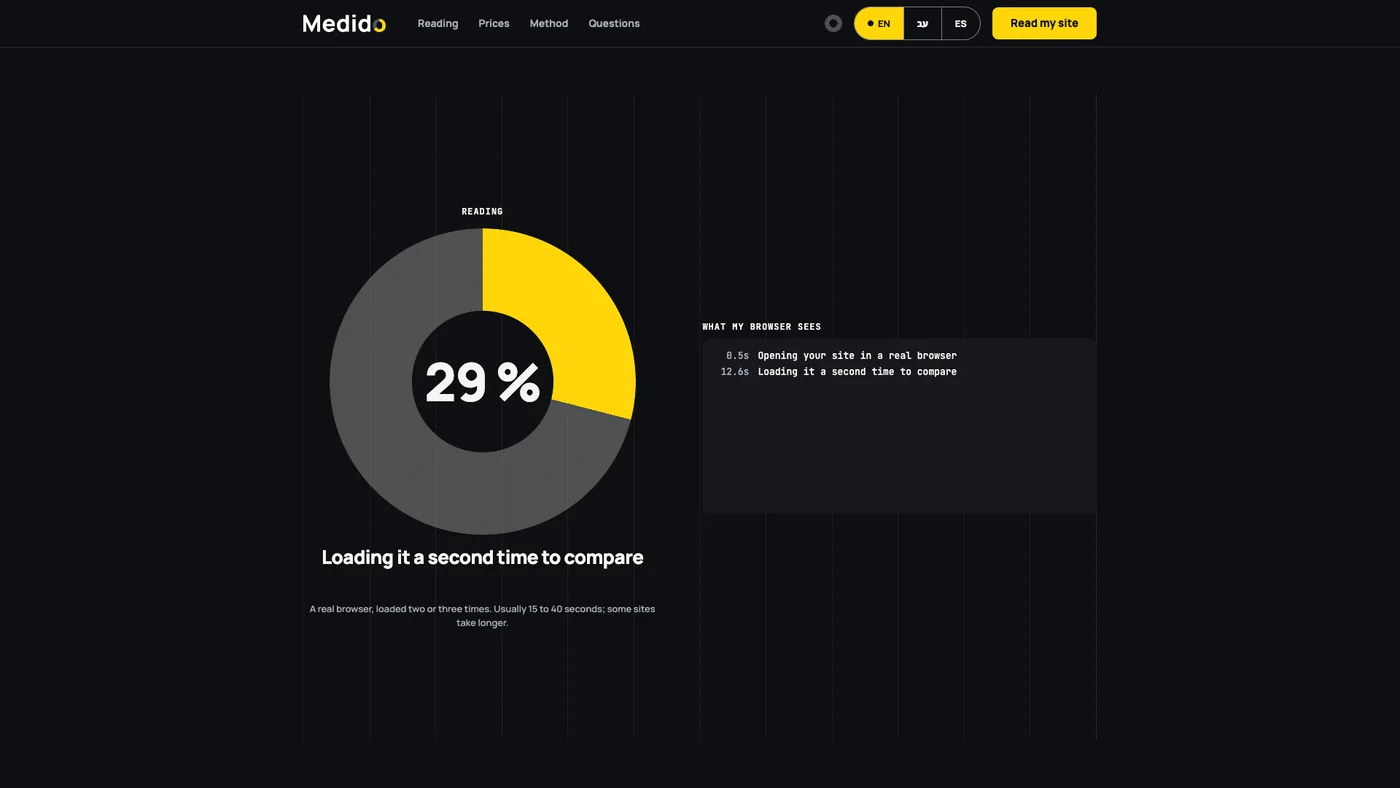
- While it reads, the home page text goes away and the big o remains, advancing with each real step. Next to it, the log of what the browser sees, line by line, with its seconds.
- When it finishes, a white circle opens from the ring, covers the screen and leaves the report.
- In the report, the cards come in one by one and each stamp (verified, inferred, not seen) drops with a short thud.
Measurement: what is measured today
The site measures three journeys, each step as its own event. These are the funnels you assume:
The main journey
- 1 · Arrives
Lands on the site, in their language.
- 2 · Pastes their site
Types the address and asks for the reading.
- 3 · Sees the reading
The ring advances and the report arrives.
- 4 · Takes a step
Asks for the second reading, a session, or writes through the form.
The second reading
- 1 · Sees the reading
Finishes reading their report.
- 2 · Opens the coupon
Chooses to continue.
- 3 · Goes to checkout
Reaches checkout.
- 4 · Completes payment
The second reading is ordered.
The calculator
- 1 · Enters their spend
What they pay for marketing today.
- 2 · Sees their tier
The reading that fits them.
- 3 · Asks for a session
To go over it with a person.
Each step is its own event in GA4 and Clarity, with the page language. The key events are the reading request, the session request, the contact form and the payment.
And beyond that, what the person actually does: in what order each visitor did things and what they touched, button by button. The real number of readings is counted separately, in the tool’s own log, to correct what cookies don’t see.
The details
What stayed with me from my years in UX design, and what I apply to everything I do:
- Real Hebrew, not mirrored by hand. What is direction gets flipped (the bar, the menu, the log); what is data (web addresses, dates, seconds) stays left to right, isolated inside the sentence. The address field is always left to right.
- A height that fits a finger. Buttons and fields are 48 pixels; anything drawn smaller gets an invisible area of at least 44.
- No text under 12 pixels (13 in Hebrew), measured in the browser in all three languages, on mobile and on desktop.
- Reject and Accept with the same weight in the cookie notice, with Reject first. If the person rejects, nothing loads.
- Nothing travels without permission. If the person doesn’t accept, no tool loads, not even anonymously, and their name, email and the site they typed never reach the measurement.
- Mobile and desktop together. No piece is considered done without seeing it on both.
- Color is not the only signal. Yellow only goes on black, and the stamps are also told apart by their shape: solid, dotted or dashed.
The components
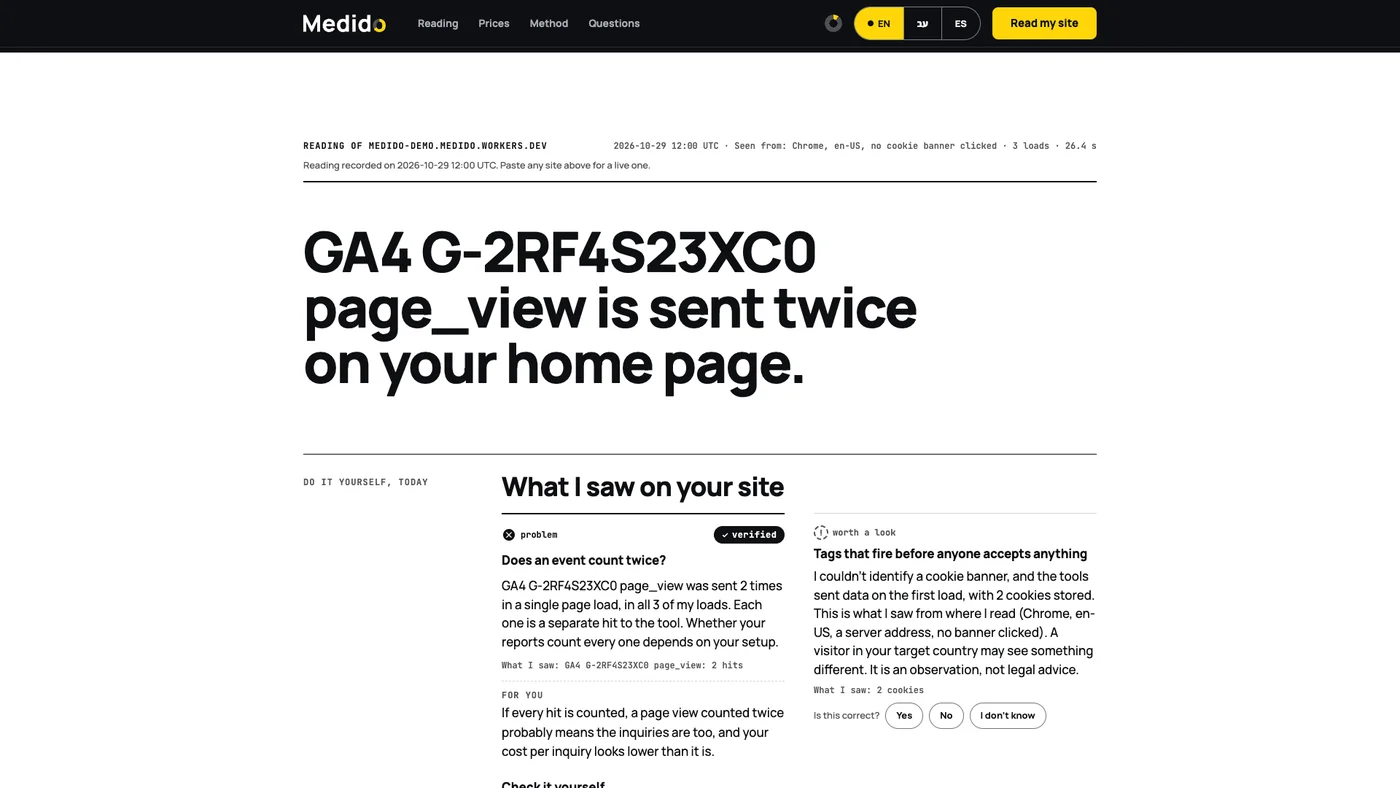
Swipe sideways or use the arrows. Tap a screenshot to enlarge it.
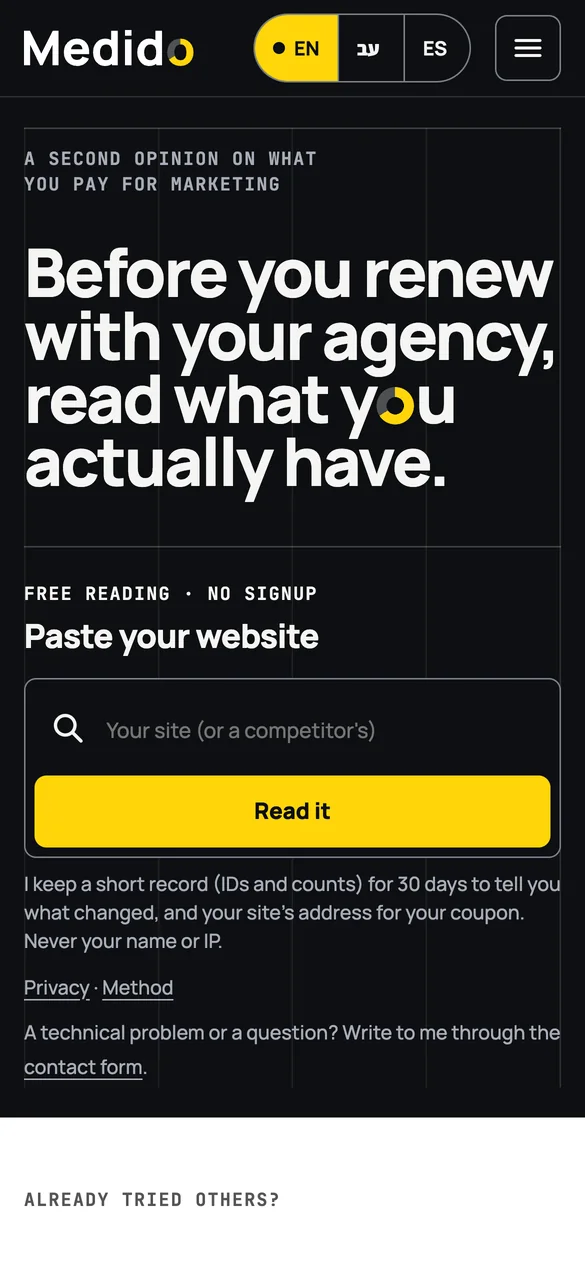
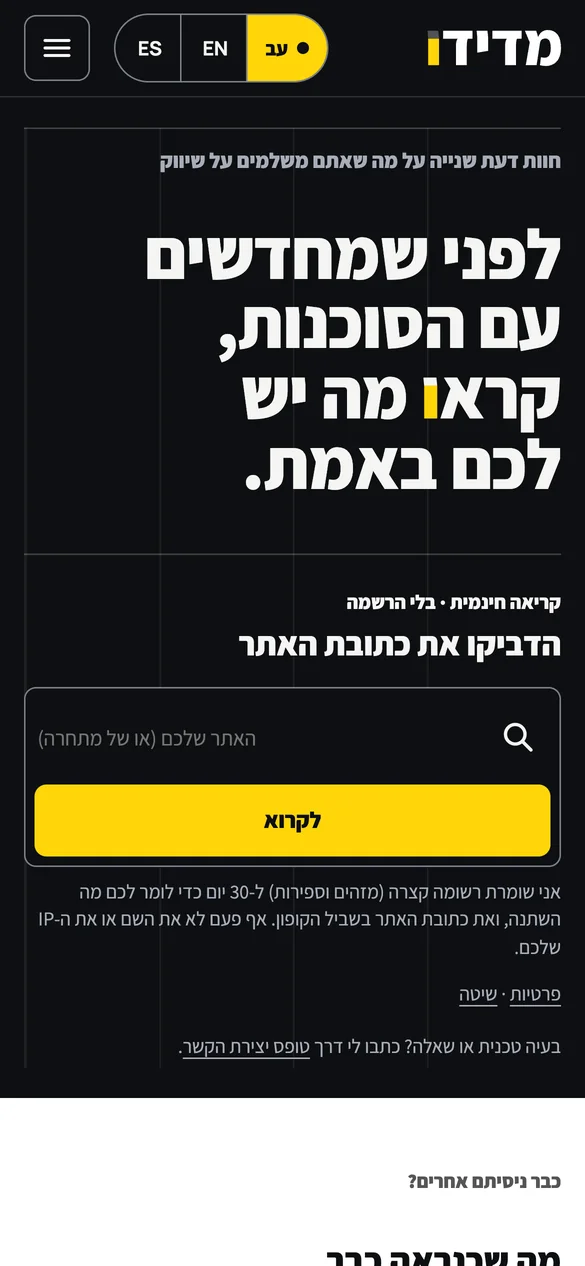
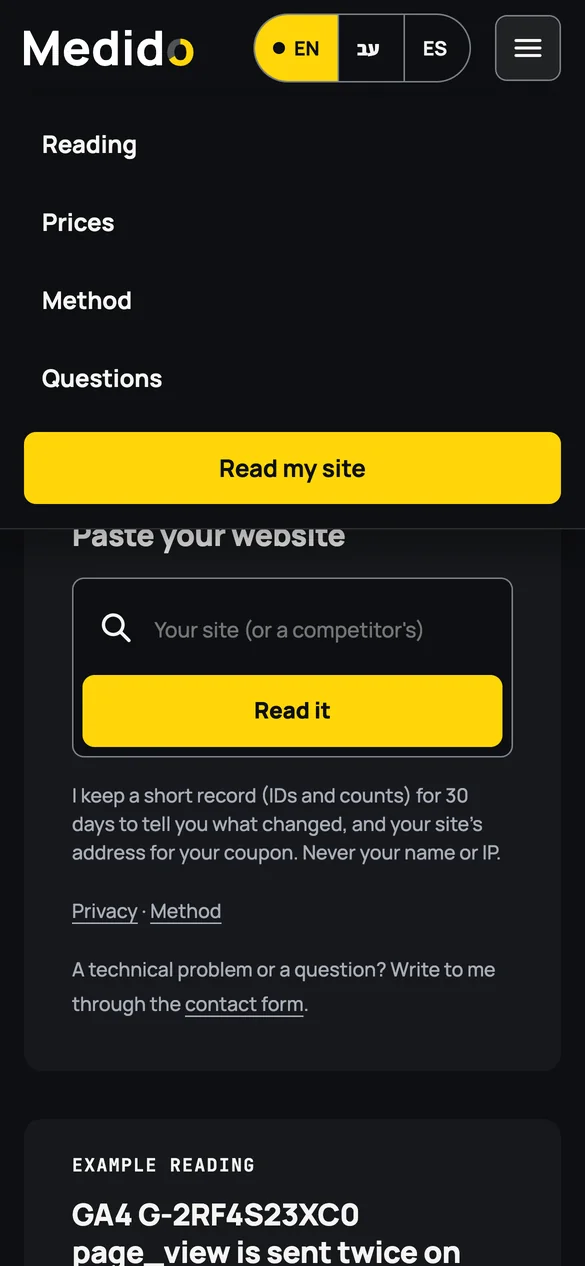
Swipe sideways or use the arrows. Tap a screenshot to enlarge it.